
In COBBLEVERSE, both hunger and mobs are disabled by default, but you can easily enable them if you prefer a classic survival experience.
Enabling Hunger: #
To enable hunger, you’ll need to disable a datapack in the launcher. If you’re using Modrinth, enabling it is incredibly simple. It’s just one click from the launcher. No folders, no files, no hassle.
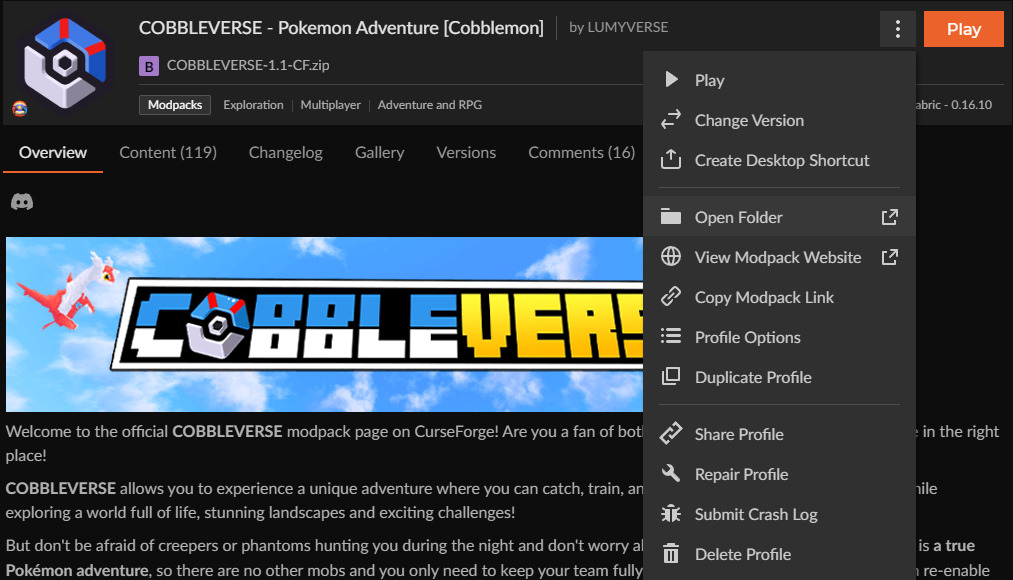
If you’re using CurseForge, the process is a bit more hands-on. Open the instance folder by clicking “Open Folder” in the CurseForge app. Go into the datapack folder. Inside, you’ll find a datapack called COBBLEVERSE – No Hunger. Delete that file to re-enable hunger.

Enabling Mobs: #
To enable mobs on Modrinth, you need to disable mod that controls mob spawning.
If you’re using Modrinth, enabling them is just as easy as with hunger: it takes one click from the launcher. Quick and effortless.

On CurseForge, it’s the same process
Open the instance folder, go to the mods folder, and delete MobsBeGone.


